Free for Windows 10 & 11
It already happened.
Save it.
Prism keeps the last few minutes of your screen ready to go. Press one hotkey and the moment you just missed is a clip. Recording, screenshots, voice cleanup and key remapping live in the same small app.
You're not on Windows right now. Prism only runs on Windows 10 and 11, so grab it from your PC.
This buffer started when you opened the page. Try it. Each save keeps only what's new, just like the app.
One app
One beam in.
Four tools out.
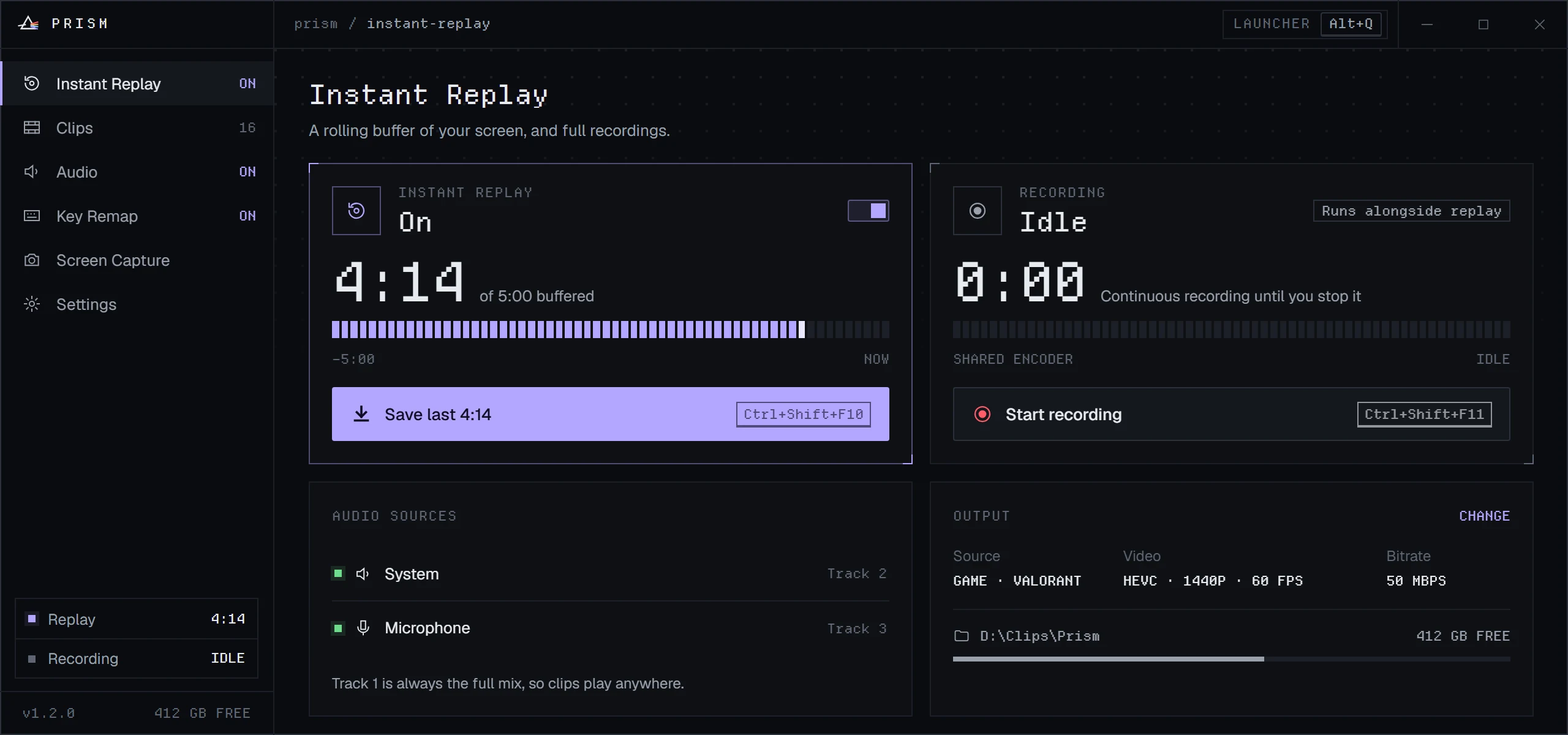
01 / Instant Replay
Never ask “did you get that?” again.
Prism records with your GPU's hardware encoder into a rolling buffer. When something happens, one hotkey saves it. Full recordings run alongside the buffer on the same encoder, at no extra cost.
Then trim it in the clip editor: fast keyframe cuts, or frame-exact on the GPU, with each audio track kept, adjusted or removed.
- Buffer
- 15 s to 20 min
- Encoders
- NVENC · AMF · QSV
- Codecs
- H.264 · HEVC · AV1
- Audio
- Mix + System + Mic tracks
- Games
- Follows fullscreen games, files clips by game
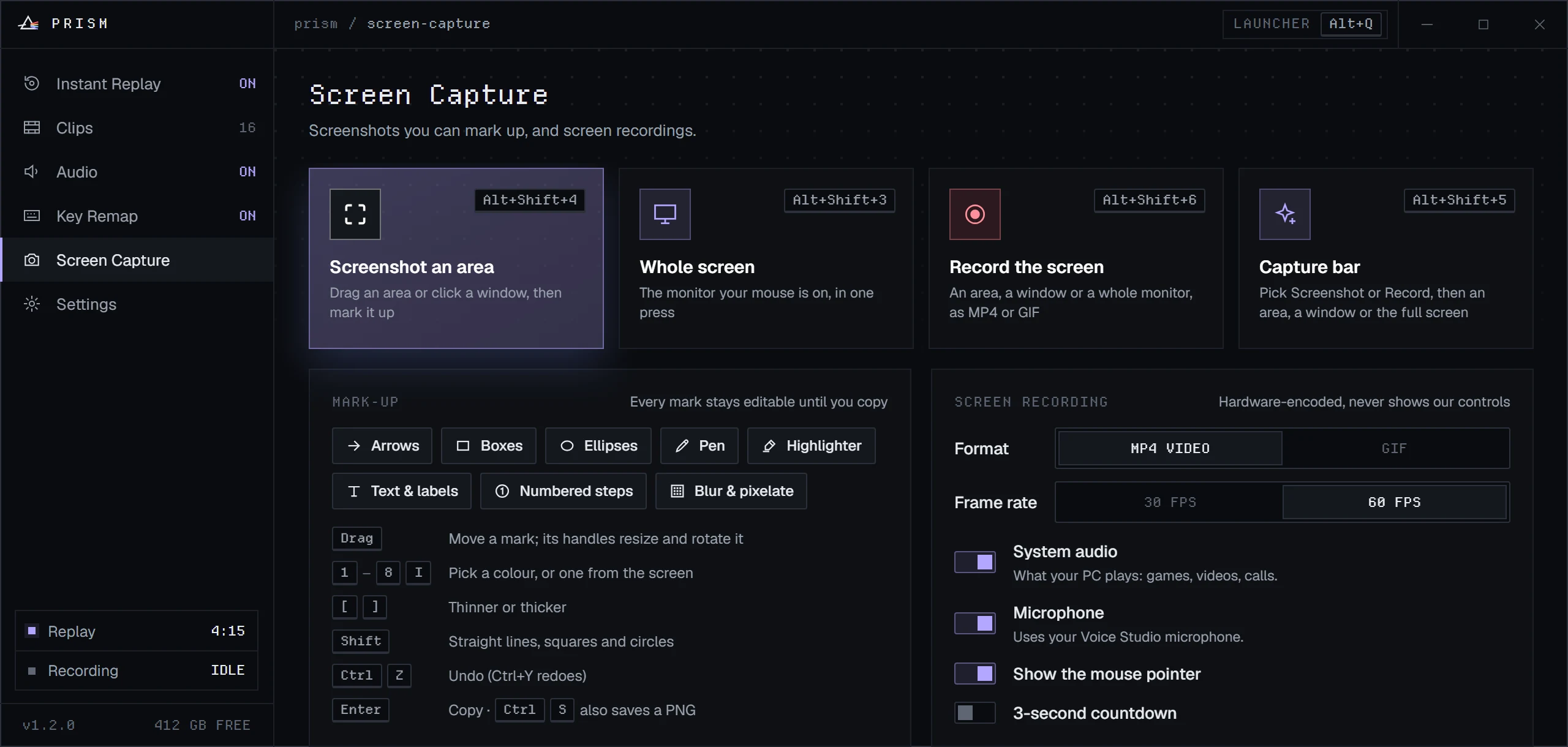
02 / Screen Capture
Screenshots that stay editable until you copy.
Drag an area, click a window or take the whole monitor. Arrows, boxes, text, numbered steps and blur all stay live objects you can move, restyle and undo. Enter copies it, straight into whatever you're doing.
- Marks
- Arrow, line, box, ellipse, pen, highlighter, text, steps, blur
- Record
- MP4 or GIF at 30 or 60 FPS
- Picker
- Magnifier and colour picker built in
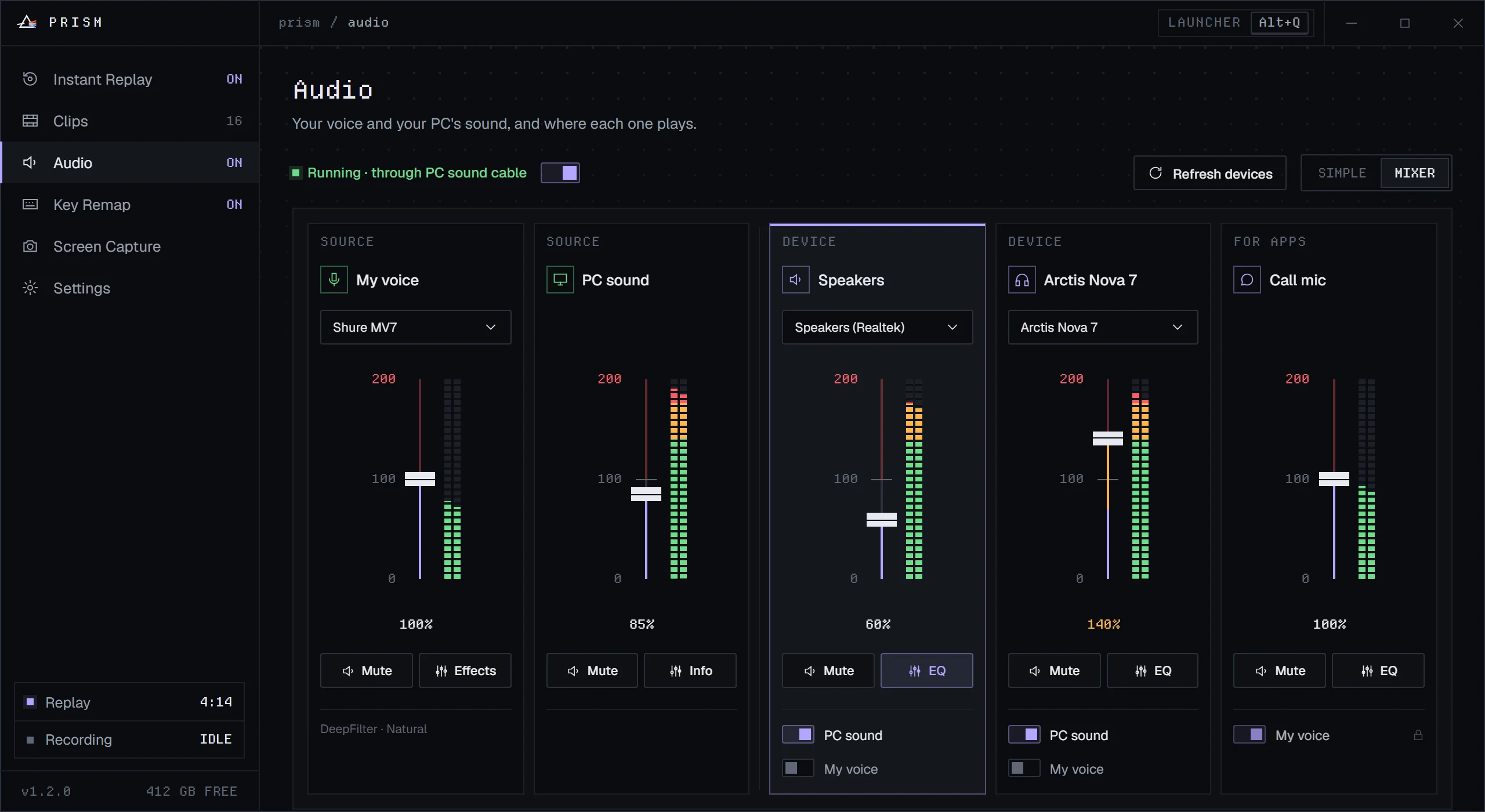
03 / Audio
Sound like you bought a better mic.
Clean up your voice with RNNoise or DeepFilterNet3, running entirely on your PC, and send it to Discord or any app through a virtual cable. A mixer plays your PC's sound on several devices at once, each with its own EQ and up to 200% volume.
Set a phrase like “clip that” and Prism saves a replay when you say it.
- Voice
- Noise removal, EQ, compressor, de-esser
- Mixer
- Per-device faders and EQ presets
- Privacy
- All processing stays on this PC
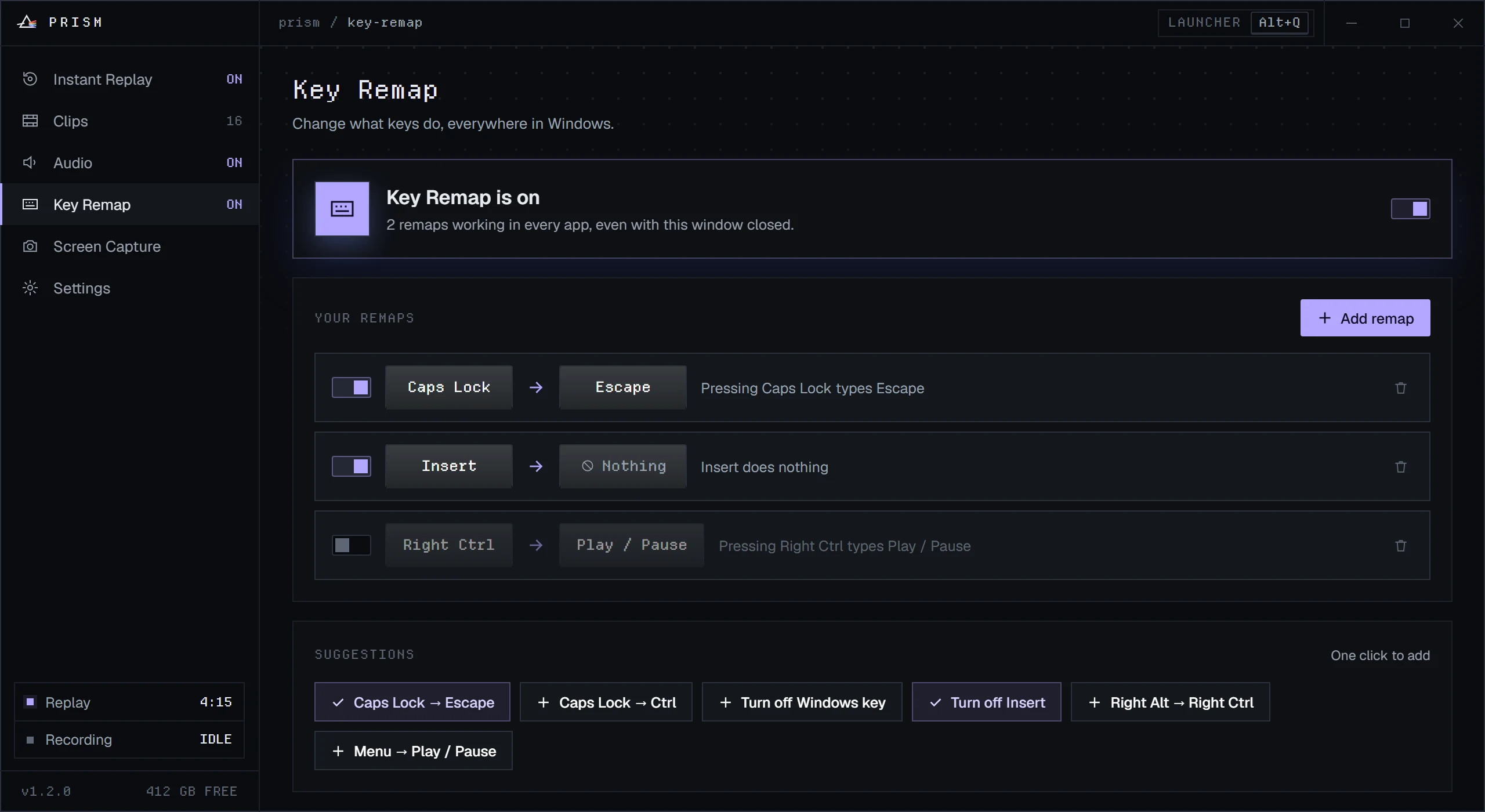
04 / Key Remap
Caps Lock can finally do something useful.
Press the key you want to change, then press what it should do. Remaps work in every app, even with Prism's window closed to the tray, and one switch turns them all off when you need your keyboard back.
- Default
- Caps Lock → Escape
- Also
- Disable a key, map media keys, turn off the Windows key
- Saved
- Instantly, no restart
The next good moment
is already on its way.
Download PrismWindows 10 & 11 · 64-bit
- Run the installerIt installs for your account only, with no administrator prompt.
- If Windows warns youPrism isn't code-signed yet, so SmartScreen may appear. Choose More info, then Run anyway.
- Press Alt+QThat's the launcher. Instant Replay can be running a minute from now.
- Needs
- Windows 10 or 11, 64-bit, and a GPU with NVENC, AMF or Quick Sync
- Version
- See the latest release
- SHA-256
- Removing it
- Apps & features. Your clips and settings are kept.